Sign Language ASL Pocket Sign
- 4.8
- Rating
- 1.00M
- Installs
- Free
- Price
 Analysis by App-foxy
Learning American Sign Language is much easier when practice fits into the small gaps of the day, and that is where Sign Language ASL Pocket Sign makes the most sense. I found it more approachable than opening a large course, choosing a lesson, and trying to remember where I stopped. It puts video-based learning and a dictionary into a compact education app, so I can look up a sign quickly or follow a more deliberate study session without changing tools.
The app is made by MobiReactor and is free to install, with optional purchases ranging from $5.99 to $129.99 per item. It is rated for Everyone, which makes it suitable for families and younger learners when an adult is comfortable guiding the study routine. Its strong reception is reflected in a 4.8 average from around 33 thousand ratings, while more than a million people have installed it. Those figures suggest that it has found a clear audience, but popularity alone does not make an ASL resource right for every learner.
How Pocket Sign feels during everyday learning
I find Pocket Sign most useful when I treat everyday learning as a small, repeatable habit rather than a race through lessons. A quick lookup can help me prepare for a real interaction, while a planned session gives me room to watch, recall, and practice without the phone in hand. That distinction also makes it easier to judge what kind of trust and control matter when using a video-based learning app.
You May Also Like

 Blood Strike: 2.5 Anniversary
Blood Strike’s Loadouts Turn Every Drop Into a Tactical Gamble
A close look at Blood Strike’s custom loadouts: how fast access to signature weapons reshapes its battle royale rhythm, rewards preparation, and narrows the gap between fights.

 Pandora - Music & Podcasts
Pandora’s Music Is Easy to Start, but Harder to Recover
Pandora’s strength is its low-effort path from a seed to a station. Its weak spot is how much confidence it asks you to place in connection, setup, and quiet recovery.

 8 Ball Pool
 Is Built on Rivalries, Rematches, and Routine
A close look at the rivalries, rematches, shared routines, and unanswered safety questions that turn a quick pool match into a persistent mobile community.

 Samsung Music
’s Quiet Strength Is Playing What You Already Own
Its reach comes less from spectacle than from dependable access to a personal library. That simplicity is both the app’s strongest retention engine and its ceiling.

 AccuWeather: Weather Radar
AccuWeather Review: A Quick, Clear Forecast for Everyday Decisions
For everyday plans, the best forecast is the one you can understand quickly. AccuWeather makes rain timing, radar, and local conditions easy to act on, with a few trade-offs.

 Hill Climb Racing
Why Hill Climb Racing Still Turns Crashes Into One More Run
A tiny car, a bumpy hill and one more upgrade: Hill Climb Racing keeps resurfacing because its simple chaos makes every near-miss feel personal.
More From Our News Desk



Quick starts and realistic speed expectations
My first impression is that Pocket Sign is designed for immediate use rather than long preparation. The useful distinction is between opening it for a single sign and using it as a structured learning tool. A dictionary lookup should feel like a short task: identify what I want to express, search for it, watch the demonstration, and return to the conversation or practice exercise. A lesson, naturally, asks for more attention because watching a movement once is not the same as understanding and reproducing it.
The video approach is particularly helpful for ASL because a written description cannot fully communicate hand position, direction, movement, facial expression, or rhythm. I can pause mentally, replay a demonstration, and compare my own movement with what I just watched. That makes the app more useful than a text-only phrase list, especially for beginners who do not yet know which details matter.
I would not treat the app as a substitute for a live teacher when precise feedback is important. A video can show me the intended motion, but it cannot automatically tell me that my wrist angle is wrong or that I am using a gesture in an unnatural context. The practical speed advantage is therefore strongest during review and recognition, not necessarily during the first attempt at a difficult sign.
One efficient routine is to use the dictionary before a lesson rather than after it. I can preview unfamiliar signs, then meet them again in the lesson with less mental friction. Another is to choose a small group of signs connected to one real situation, such as greetings, food, travel, or family conversation. This prevents the common beginner mistake of collecting isolated signs without learning how they fit together.
What happens during heavier study sessions
Longer sessions place a different demand on an app like this. The challenge is not only whether a screen opens quickly; it is whether the learning remains manageable after repeated videos, searches, pauses, and returns to earlier material. Pocket Sign works best when I treat it as a focused practice space instead of leaving it running while doing something else.
Video lessons naturally consume more attention than a flashcard list. If I rush through them, I may recognize a movement without being able to perform it. I found that a better approach is to watch once for the overall shape, watch again for the hand position, and then attempt the sign away from the screen. That three-step cycle turns the app from passive viewing into active recall.
The dictionary becomes more valuable during heavier use because it reduces the need to abandon a lesson whenever a term feels unclear. I can use it as a reference layer: study the lesson, look up a related sign, then return to the original topic. This is a small workflow improvement, but it matters when a learner is trying to build vocabulary around a specific conversation rather than simply browsing.
There is also a trade-off in the app’s compact format. It is convenient to carry a broad reference in a phone, but a phone screen is still limited when I want to compare several signs or watch subtle movement details. A tablet can make demonstrations easier to inspect, while a phone is better for spontaneous practice. I would choose the larger screen for planned study and the phone for quick revision.
Reliability, continuity, and recovering from interruptions
A learning app earns trust by making it easy to continue after a distraction. In ordinary use, interruptions are unavoidable: a message arrives, the phone locks, or I need to put the device down to practice a movement. Pocket Sign’s basic value is that lessons and dictionary access are organized around short, repeatable interactions, so I can return without needing to reconstruct an entire study plan from memory.
That said, I would still use a simple personal recovery habit. Before leaving a session, I note the topic or sign I was practicing, either mentally or in a small notebook. This is especially useful if I switch between dictionary searches and lessons. A compact app can make access easy, but it cannot remove the need for a learner to remember what they are trying to improve.
The app’s current version is 3.2.8, and it was released on June 5, 2020. Those details matter less than the practical question of how it fits into a current routine: I would keep the app updated through the normal store process and test a lesson before relying on it for a time-sensitive class or trip. For regular personal study, its straightforward purpose makes it easier to evaluate than an app overloaded with unrelated tools.
I also appreciate that the content rating is Everyone. That does not mean every learner will progress at the same pace, but it lowers the barrier for parents, children, and mixed-age households that want to explore ASL together. Adults should still explain that signs have context and that watching a demonstration is only one part of respectful communication.
Device limits and resource-conscious use
Pocket Sign supports devices running Android 7.0 or later, which covers many older Android phones. That broad compatibility is useful for learners who do not own a recent flagship device, but older hardware can still make video learning less comfortable. Screen size, speaker quality, storage space, and the general condition of the phone all affect the experience even when the operating system is supported.
Video is the central resource consideration. A dictionary entry with a demonstration asks more of a device and connection than a static definition. If I am studying away from home, I would plan around the quality of the available connection rather than assuming every location will be equally convenient. For a learner with limited data, short sessions and deliberate searches are more sensible than repeatedly browsing every related term.
Battery use is another practical concern during extended viewing. I would not call this a reason to avoid the app, but it is a reason to avoid marathon sessions on an aging phone. A short routine, with the screen brightness set comfortably rather than excessively high, is more sustainable. The app is most valuable when it encourages frequent practice, not when it becomes an all-day video player.
Storage and multitasking also shape the experience. A phone crowded with large media files may leave less room for smooth everyday use, and switching rapidly between a video lesson, notes, and another app can feel less convenient on a budget device. Pocket Sign is easier to appreciate when I give it a clear task: watch, practice, search, and review. It does not need to compete with several demanding apps at once.
Where it beats usual alternatives
The usual alternative for beginners is a written guide, a general video platform, or a broad language-learning service. Written guides are easy to scan, but they often flatten movement into words. General video platforms offer enormous variety, yet finding a consistent sequence can take more time than learning. Broad language apps may provide polished progress systems, but ASL requires visual detail that is not always central to their design.
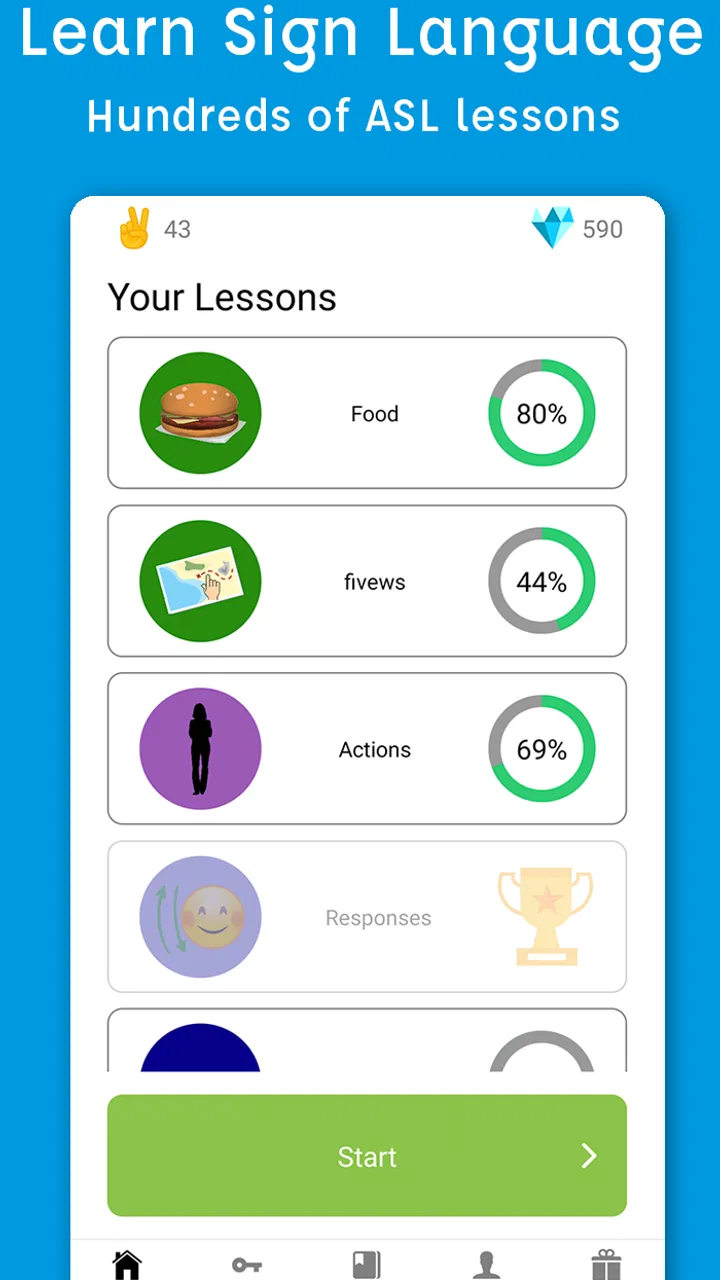
Pocket Sign’s advantage is its combination of interactive video lessons and a dedicated dictionary. I can move from guided instruction to targeted reference without treating those as completely separate learning projects. That makes it well suited to someone who wants a practical introduction, needs occasional sign lookups, and prefers a focused ASL resource over a general language platform.
The comparison changes for advanced learners. If I already communicate comfortably in ASL, I would want richer conversation practice, feedback from fluent signers, and deeper treatment of regional variation or grammar. A compact lesson-and-dictionary app may still be useful for checking vocabulary, but it should not become my only source. The better choice in that situation is a combination of real interaction, instruction, and reference material.
It is also not the best fit for someone who expects instant fluency from short sessions. The app can make practice more accessible, but it cannot replace repetition, comprehension, or communication with other people. I would recommend it to a beginner who is willing to practice aloud in signs, revisit difficult material, and use the dictionary with a clear purpose.
Useful routines that bring out its strengths
My favorite practical workflow is the “conversation pocket.” I choose one situation I may actually face, gather a few relevant signs through the dictionary, watch the connected lesson material, and then rehearse a short exchange without looking at the phone. The important insight is that the dictionary is not only for emergency lookups; it can help shape a small, usable vocabulary set before a lesson begins.
A second technique is to separate recognition from production. On the first pass, I ask whether I understand the sign when I see it. On the second, I hide the screen and try to produce it from memory. This exposes a weakness that casual viewing can conceal: recognizing a demonstration is easier than recalling the movement independently.
A third technique is to use the app as a correction queue. Whenever I hesitate over a sign, I do not immediately jump through unrelated vocabulary. I mark the troublesome idea in my notes, finish the current practice, and return to those items later. This keeps a heavy session from becoming a chain of random searches and gives me a clearer picture of what needs repetition.
Families can adapt the same method into a short shared activity. One person chooses a sign from the dictionary, another tries to identify or reproduce it, and everyone checks the demonstration together. Because the app is rated for Everyone, it can serve as a starting point for this kind of low-pressure practice, although the goal should be communication and curiosity rather than turning every session into a test.
Cost, commitment, and who should install it
The free entry point makes it easy to explore the teaching style before deciding whether it belongs in a regular routine. Optional purchases are listed from $5.99 to $129.99 per item, so I would examine what each purchase unlocks and whether it matches my actual learning goal before spending money. A learner who only needs occasional reference may be satisfied with limited use, while someone following lessons consistently may value broader access.
I would not buy anything simply because a large course looks impressive. The better test is whether I have completed enough practice to know that the format suits me. If I regularly return to the videos, use the dictionary, and can describe a specific gap in my learning, a paid option may be easier to justify. If I open the app only once every few weeks, free access or another reference source may be the more sensible choice.
My overall performance verdict is positive, with a clear boundary. Pocket Sign feels best as a focused, portable companion for beginning ASL study: quick for lookups, useful for visual demonstrations, and flexible enough for short daily practice. Its resource demands are tied mainly to video viewing and screen time, while its real learning limits come from the absence of personal feedback and the need for consistent practice.
I would recommend it to a curious beginner, a family exploring basic signs, or a learner who wants one place for lessons and reference. I would pair it with real conversations and instruction if accuracy or fluency matters. For advanced students seeking nuanced grammar, live correction, or immersive communication, another resource should take the lead. For everyone else, the smartest way to use Pocket Sign is in small, purposeful sessions that turn each video into something you actually remember and use.
FAQs for Sign Language ASL Pocket Sign
01What is Sign Language ASL Pocket Sign?
Sign Language ASL Pocket Sign is a learning app designed to help users study American Sign Language (ASL) through short lessons, demonstrations, and practice activities. It is intended for beginners, family members of Deaf or hard-of-hearing people, students, travelers, and anyone interested in improving everyday signing skills. The app works best as a convenient supplement to regular practice rather than as a complete replacement for an instructor or immersive ASL course.
02Is Sign Language ASL Pocket Sign suitable for complete beginners?
Yes, the app is generally suitable for people who are starting ASL from scratch. Its pocket-sized format makes it easy to review common signs and basic expressions at your own pace, without requiring previous knowledge. Beginners should still pay close attention to hand shape, movement, palm orientation, and facial expression, because small differences can change meaning. Consistent practice and checking signs with reliable Deaf or ASL-teaching resources are recommended.
03Can I use the app offline?
Offline access may depend on the specific version of Sign Language ASL Pocket Sign and the content downloaded to your device. Some lessons or reference material may remain available after installation, while other features could require an internet connection for loading, updates, advertisements, or additional content. Before relying on it while traveling or without mobile data, open the lessons you need in advance and confirm that they still work when your device is offline.
04Does the app teach complete American Sign Language fluency?
No single mobile app can usually provide complete ASL fluency on its own. Sign Language ASL Pocket Sign can be useful for learning vocabulary, reviewing signs, and building confidence with basic communication, but fluency also requires grammar, receptive practice, conversation, cultural understanding, and regular interaction with proficient signers. Treat the app as a practical study aid, and combine it with classes, videos from qualified Deaf educators, or real-world practice whenever possible.
05Is Sign Language ASL Pocket Sign free to download and use?
The download and available features can vary according to the Android or iOS version, region, and the developer’s current pricing model. The app may include free lessons or reference material while reserving certain content, removing advertisements, or unlocking advanced features for a purchase or subscription. Check the store listing carefully before installing, including in-app purchase details, required permissions, ratings, and the most recent update information.
Pros
- Covers everyday ASL phrases with clear video demonstrations.
- Offline access makes lessons useful without a constant internet connection.
- Short practice sessions fit easily into a busy daily routine.
- Helpful for beginners learning basic signs at their own pace.
- Visual lessons support communication with Deaf and hard-of-hearing people.
Cons
- Limited depth for advanced learners seeking complex grammar practice.
- Some content may require an additional subscription or in-app purchase.
- Video playback can use significant storage and mobile data.
- Practice tools may feel basic compared with full language-learning apps.
- ASL regional variations and cultural context are not covered extensively.

Sign Language ASL Pocket Sign
Gallery